
Change the country, language and currency settings.
You can change the delivery country/region, language and displayed currency by following the steps below:
How to change the settings
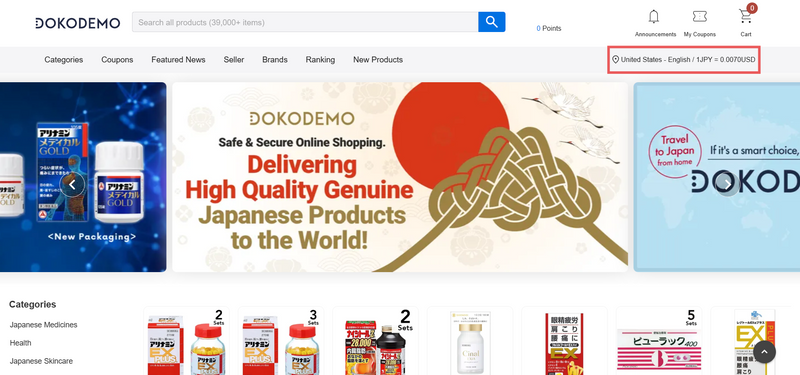
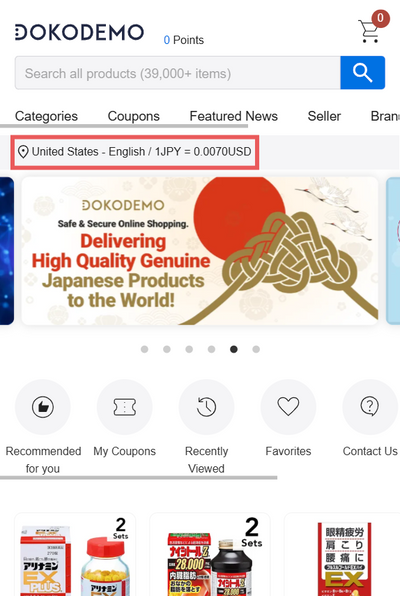
- Click the tab that displays the「country/region - language/ currency」 in the page header.
- Select the desired delivery country/region, language, and currency and then click on the change button.
[Using a PC]
[Using a Smartphone]
◆Notes
The display language may automatically change depending on your access location or if the website/app is reloaded or opened again.
If the display language is different, please change your settings again using the method above.